Free · Windows now · Android soon

Your tasks,
beautifully organized

A modern task manager with cloud sync, shared lists, reminders, and a desktop widget. Free for Windows, Android coming soon.

Download for Windows Get for Android Q2 2026

v0.1.6 · Windows 10/11 · 17 MB

Softpedia 100% Clean Certificate Verified by Softpedia · 100% Clean Certificate
Features

Everything you need. Nothing you don't.

A simple yet powerful task manager — built for people who want to stay focused without the bloat of paid subscriptions.

Task Management

Create tasks with priorities, due dates, descriptions, and reminders. Mark them important or complete in one click.

Smart Lists

Inbox, Today, Important, All Tasks — your tasks are automatically sorted where they belong. Plus your own custom lists.

Cloud Sync

Sign in with Google and your tasks sync instantly across all your devices in real time. Sign out and everything still works locally.

Shared Lists

Share any list with family, friends or coworkers via email. Everyone sees changes in real time and you can always remove access.

Reminders

Set a precise reminder for any task. Get a native Windows toast notification — even when the app is minimized to the tray.

Desktop Widget Windows

A compact, always-on-top widget shows today's tasks right on your desktop. Adjustable opacity, draggable, optional pin.

Drag & Drop

Reorder tasks effortlessly. Move them between lists with a simple drag. Everything stays exactly where you put it.

Dark & Light Themes

Switch between dark and light themes or follow your system setting. Carefully crafted to look great either way.

10 Languages

English, Russian, Ukrainian, German, Spanish, French, Italian, Polish, Portuguese, Turkish — all manually translated.

Platforms

One account. Every device.

Sign in once with Google and your tasks follow you across every device.

Available now

Windows 10 & 11

Native desktop app with system tray integration, desktop widget, native toast notifications and offline support.

Coming Q2 2026

Android

Mobile app with the same features, native push reminders via AlarmManager, and full sync with the Windows version.

Screenshots

See it in action

Clean, minimal interface designed to stay out of your way.

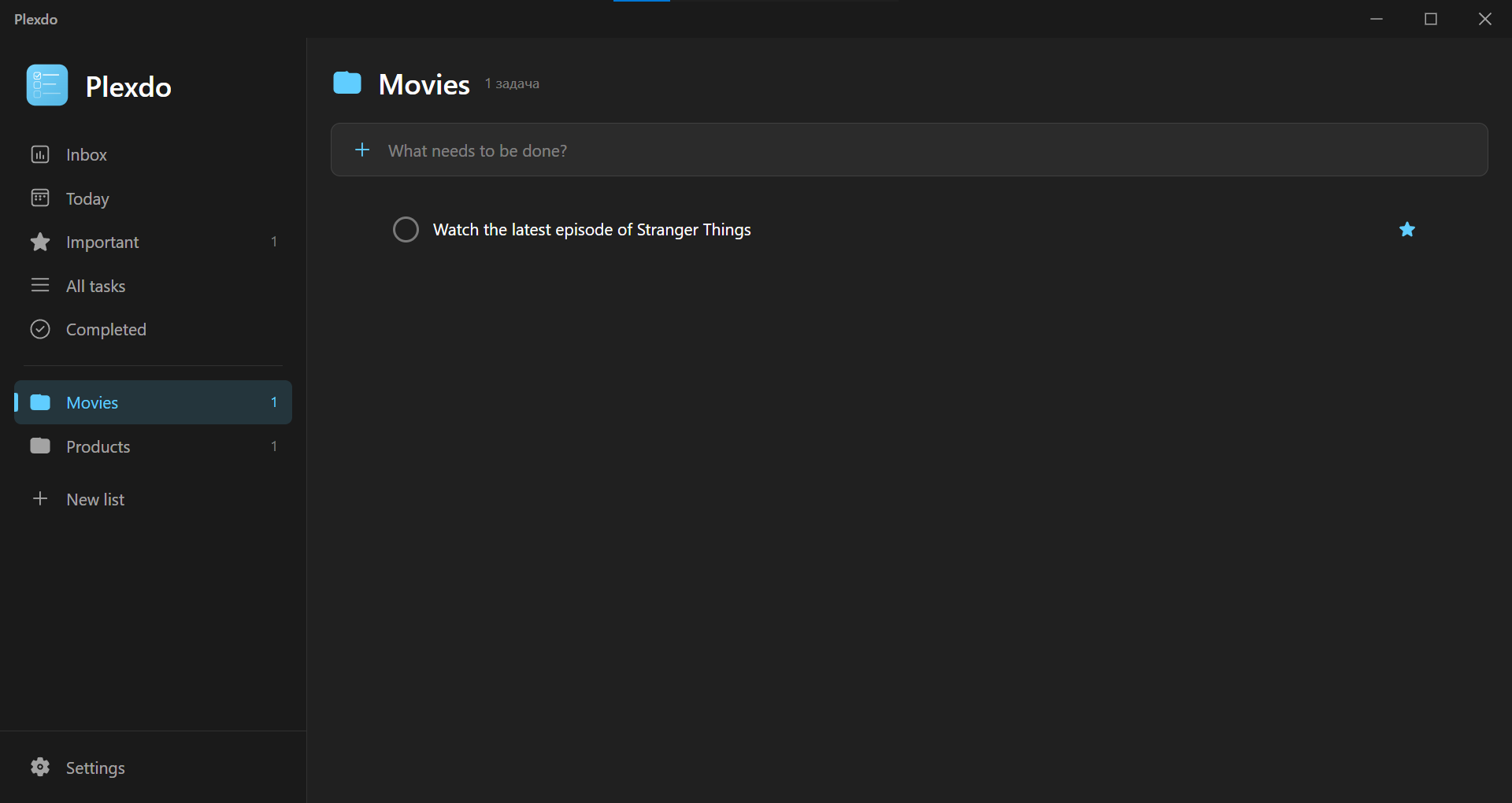
Plexdo dark theme
Main window — Dark theme with task list and editor panel
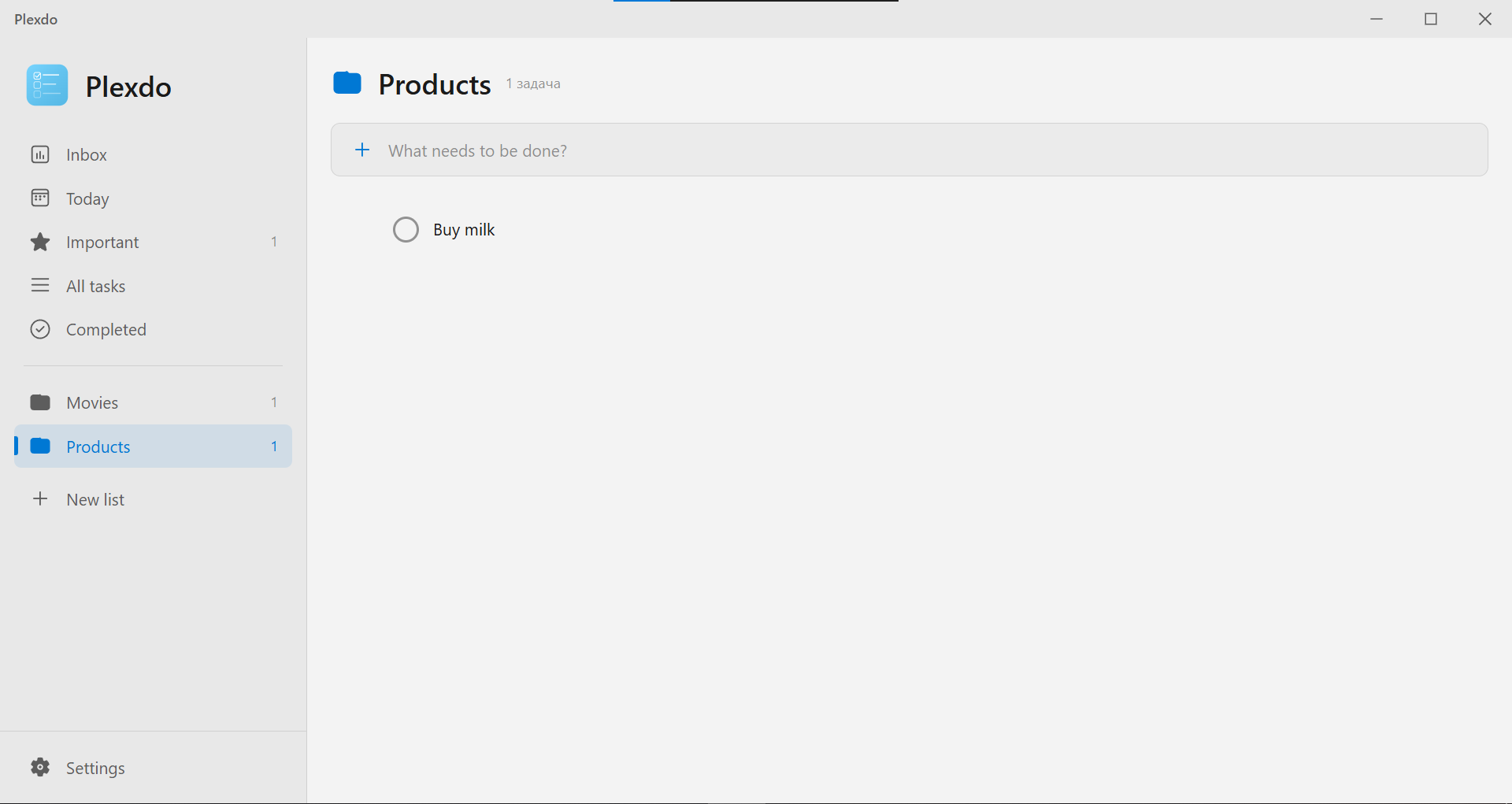
Plexdo light theme
Main window — Light theme with smart lists
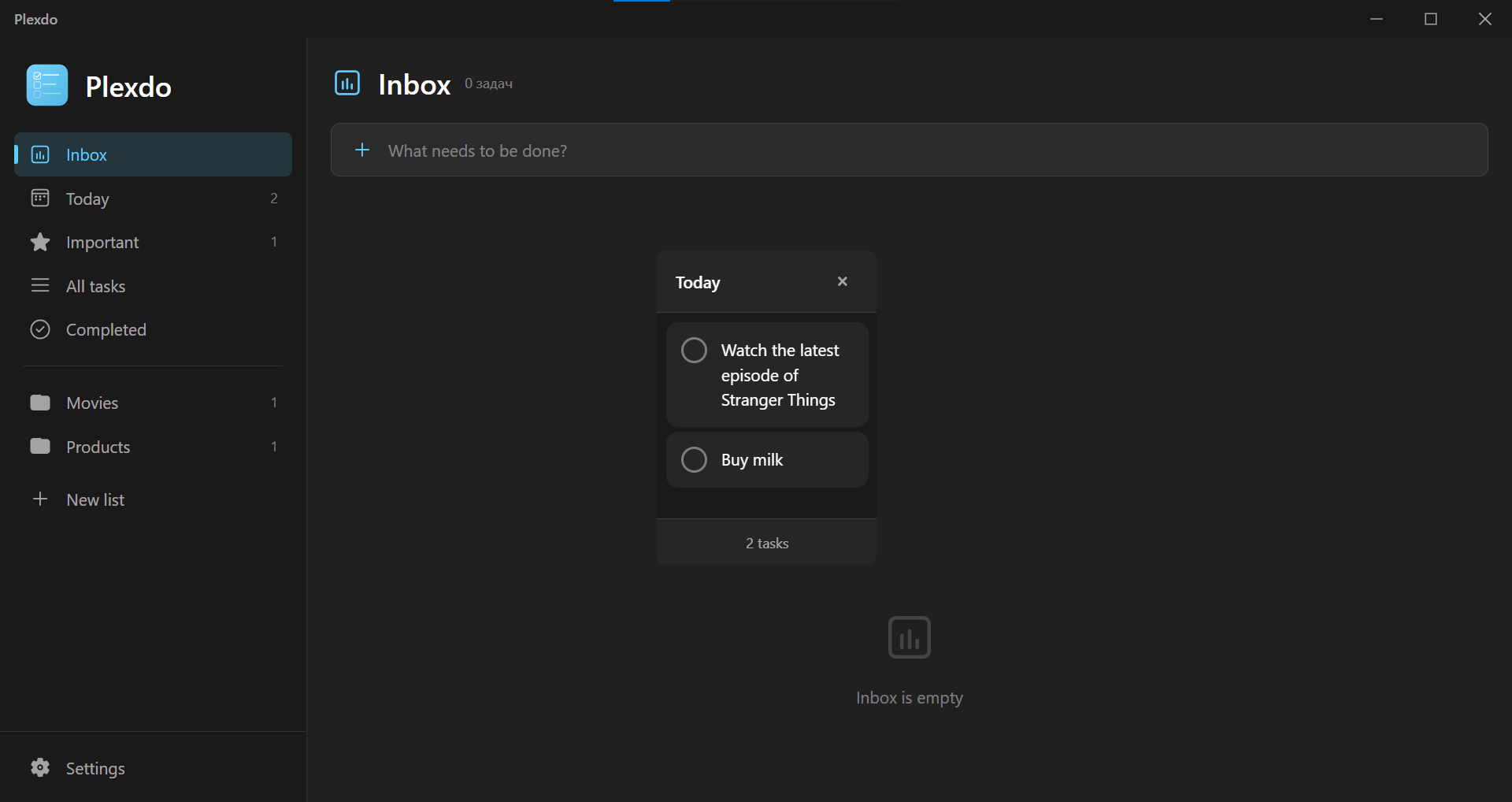
Plexdo desktop widget
Desktop widget showing today's tasks
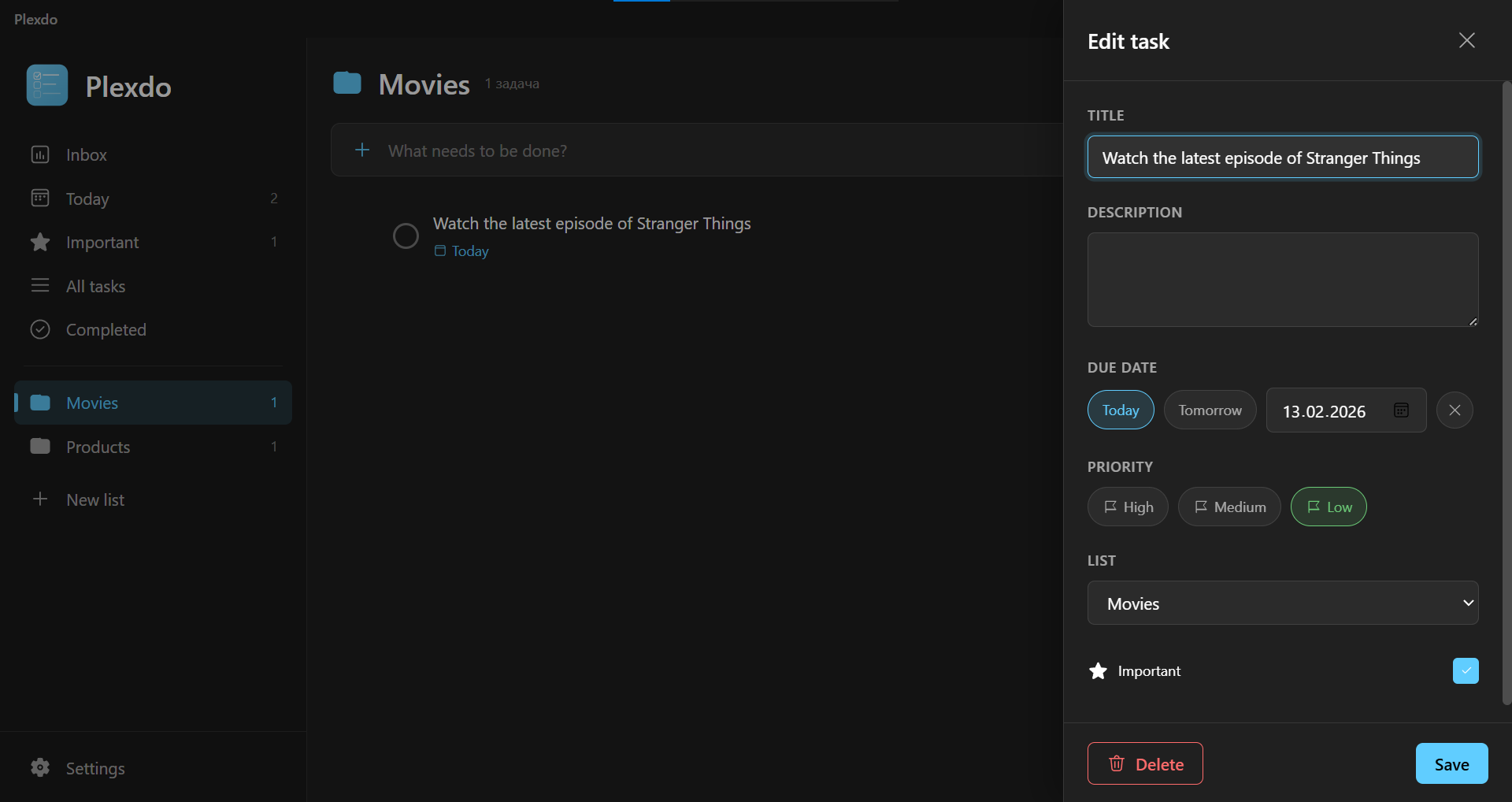
Plexdo task editor
Task editor with priorities, due dates, and reminders
Privacy & Security

Verified. Auditable. Yours.

You're installing software from a small developer — that deserves more than "trust me." Here's what you can verify.

Softpedia 100% Clean Certificate

Verified by Softpedia

100% Clean Certificate — independent malware scan and editorial review by Softpedia.

View listing →

No telemetry, no analytics

Plexdo only contacts Firebase for sync. No third-party analytics, no behaviour tracking, no ad SDKs.

Your data is yours

Tasks live in your own Firestore document. Sign out and everything stays local. Delete your account from the app and the data is gone.

Audit it yourself

Run the installer through VirusTotal or monitor the app's network calls — Plexdo only talks to Firebase. External verification is welcome.

FAQ

Frequently asked questions

Yes — Plexdo is completely free. No subscriptions, no ads, no in-app purchases. Server and database hosting are paid by the developer. If you'd like to support development, you can do so on Patreon.
The Android version is in active development and planned for release on Google Play in Q2 2026. It will share the same architecture and features as the Windows version, including cloud sync and shared lists.
If you sign in with Google, your tasks are synced to a secure Firebase Firestore database in real time. If you don't sign in, everything stays local in %APPDATA%/JXNify/Plexdo/Data as JSON files. Both modes work fully offline.
Yes. Data is stored in Google Cloud (Firestore) and protected by strict security rules — only you and people you explicitly share a list with can access it. Plexdo doesn't collect analytics and doesn't track your behaviour.
Yes. Open any list, click "Share", enter the recipient's email, and they'll receive an invite inside the app. Once accepted, both users can edit the list in real time and see who created each task.
10 languages: English, Russian, Ukrainian, German, Spanish, French, Italian, Polish, Brazilian Portuguese, and Turkish. All translations are done manually for natural-sounding text.
Yes. Plexdo checks for updates on launch and notifies you when a new version is available. You always choose when to update — it's never forced.
Use the "Report a bug" button in the app's settings — it opens a short Google Form. All feedback is read personally by the developer and used to improve Plexdo.
Support the project

Help keep Plexdo free

Powered by people who like the app

Plexdo is and will stay completely free. Server and database hosting costs are paid out of the developer's own pocket. If the app makes your day easier and you'd like to chip in for hosting and future development — Patreon is the way.
Support on Patreon